
The short answer
| Question | Answer |
|---|---|
| Price | Free |
| Store | Steam, app 5219790 |
| Released | October 6, 2026 |
| Size | 20 GB of available space listed |
| Platform | Windows PC; playable on Steam Deck, not Verified |
| Length | A few hours for the main quest chain |
| Ends at | The Throat gate |
| Save transfer | Not confirmed |
| Voice acting | English and Russian |
| Text languages | 12, including Spanish, German, French, Polish, Russian, Japanese, Korean and both Chinese scripts |
The demo is the cheapest way to answer the only question that matters before November 9: whether the fishing, the boat handling and the first-person pace are for you.
How to install it
- Open the Dreadmoor Demo page on Steam in a browser.
- Sign in to Steam in the browser or the desktop client.
- Use the Download Demo button. If Steam is running, it opens the install dialog directly.
- Install it as its own app. The demo does not overwrite or require the full game.
- Launch it once and check the settings before you start: the interface text is small on a 1080p screen and smaller on a handheld.
If the button says the demo is unavailable in your region, check the store page while signed in; regional availability and age gating are the usual causes, not a broken link.
What the demo actually contains
The demo is not a slice of the campaign. It is a self-contained questline with its own beginning and end, set around a trading post, an abandoned house and a dry dock. The full walkthrough covers every step, but the shape is:
- The abandoned house. Search the rooms, take the axe, tune the radio and reach the trading post.
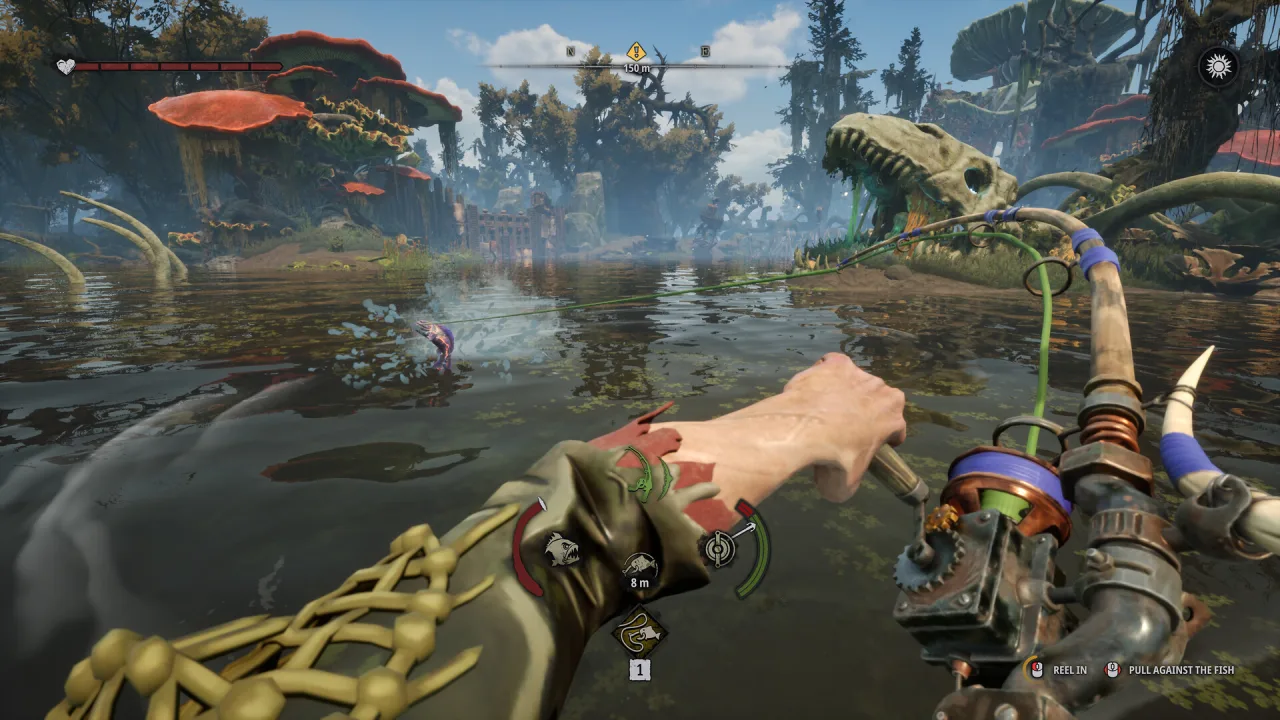
- Five Snappers. The first contract teaches the fishing fight: cast, wait for the bite, pull against the fish, manage tension.
- John's still. Repair the moonshine still to earn the dry dock key, then clean and repair the boat.
- Hull protection and the engine. Process three Softgrazers into Chromatic Scales, study the blueprint, then buy the carburetor after the Harpooner contract.
- The Throat. Fuel the generator, repair the waterway machinery, route water to both wheels and open the gate.
That is a full loop: fish, process, trade, upgrade, travel. The demo is short on map, not on systems.
How long it takes
Most players report a few hours for the quest chain. The variance comes from fishing: the Snapper contract can take ten minutes or forty depending on how quickly you read the bite and how much you wander. The Throat repairs add another chunk because the parts are spread across the gate complex.
If you rush the objectives and ignore side fishing, you can finish faster. If you treat the demo as a sandbox and test baits, it stretches. Neither approach is wrong; the demo does not punish either.
Size, requirements and performance
Steam lists 20 GB of available space for the demo and 60 GB for the full game. Those are space requirements rather than exact download sizes, and they can change with patches.
The demo is a Windows build. It runs on Steam Deck through Proton and Dream Dock has said it optimised with handheld play in mind, but the game has not received a Steam Deck Verified rating. On a desktop, the demo is the same rendering load you will see at launch, which makes it a useful performance test rather than a throwaway sample.
The system requirements page covers the store's minimum and recommended specs. The Steam Deck page covers the settings worth changing first.
Does progress carry over?
This is the question that decides how you should play it. The honest answer: Dream Dock has not confirmed that demo progress transfers to Early Access.
The demo is a separate Steam app with its own save location and its own questline. The developer has said nothing about an import, and the studio has treated the demo as a trial rather than a head start. If a transfer is announced later, it will be on the demo comparison page and the Early Access roadmap.
Practical consequence: fish for the experience, not for the stash. Do not spend hours grinding materials you expect to keep.
One related warning, often misquoted: the developer asked players who had old playtest saves to delete the Saved folder before launching the demo, because those saves were incompatible. That instruction is about playtest data, not about deleting your current demo save. Back up first if you are unsure.
Is the demo worth playing before buying?
Yes, for three reasons.
First, the fishing fight is the game. If the tension-and-stamina loop does not click in the demo, it will not click at launch, and no amount of extra map fixes that.
Second, the demo shows the pace. Dreadmoor is slow by design: hand-pumping fuel, hand-cranking a radio, hand-reeling a fish. The demo lets you test whether that tactility feels immersive or tedious to you.
Third, the demo is the honest performance benchmark. The Early Access build starts from the same technology, so a demo that runs badly on your machine is a warning you can act on before spending $19.99.
The price page covers what launch costs and what the Supporter Pack adds. The platforms page explains why there is no console demo.
What the demo does not include
- The launch region. Early Access starts in a different area with its own settlements, not the demo's trading post.
- The full fish roster. The demo shows a slice of the species list; the fish list page separates what is confirmed from what is still unknown.
- The rest of the story. The demo ends at the gate. The campaign continues past it.
- A confirmed save import. See above.
- Console or Mac versions. There are none.
Sources
Sources checked November 5, 2026.
- Dreadmoor Demo on Steam — demo app, platform and 20 GB space requirement.
- Dreadmoor on Steam — full-game platform, 60 GB requirement and Early Access date.
- Demo Available Now! — October 6 release, content scope, voice acting, Steam Deck statement and the old-playtest save warning.
- Dreadmoor Early Access press release — $19.99, November 9, language list and Early Access scope.